5 Amazon Accessories That Can Upgrade Your PlayStation 5 Controller
April 18, 2026
We may receive a commission on purchases made from links.
The DualSense controller for the PlayStation 5 is already chock-full of features and functionality. From adaptive triggers to haptic rumble, and even the built-in motion sensors and microphone, there’s a lot of technology packed into such a small package. And while all those features are great, there are still plenty of ways you can upgrade your PlayStation 5 controller to make it even more useful and accessible.
Whether you’re a PlayStation 5 player who gets competitive and wants any edge they can find or just looking to make typing messages to your friends a lot easier, the market for accessories on the DualSense has only grown since the PlayStation 5’s release. Chances are you’ve already grabbed some accessories, like a charging dock for your controllers. Those items can be great for keeping the battery topped up between gaming sessions, but for this list, we wanted to really focus on accessories that feel like they upgrade the DualSense experience in some way.
MoKo Keyboard
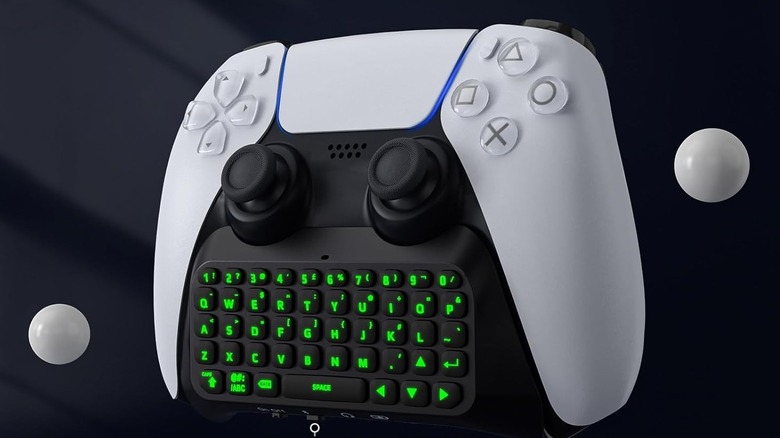
This accessory can be a real game-changer, especially if you send a lot of messages on your PlayStation 5. By default, the system requires you to select letters individually as you type your message with an on-screen keyboard. It gets the job done, but it’s far from convenient. Sure, you could probably plug in a keyboard to your PS5’s USB ports, but there are also accessories like the MoKo Keyboard.
This backlit keyboard connects to your DualSense controller via the built-in 3.5mm audio output jack, while the keyboard itself connects to the PlayStation 5 via Bluetooth. Once connected, you can type out your messages using the full QWERTY design. If you use a headset with your console, you can still use it by plugging it into the keyboard, which provides an audio passthrough just like if you plugged directly into the DualSense itself.
Reviews on Amazon praise the keyboard’s lightweight design and say that it connects easily and feels sturdy. It has over 2,000 reviews, with an average customer rating of 4.2 stars, and typically retails for $34.55. It also comes in several different colors, so you can find one that fits your style.
eXtremeRate Anti-Skid Sweat-Absorbent Controller Grip
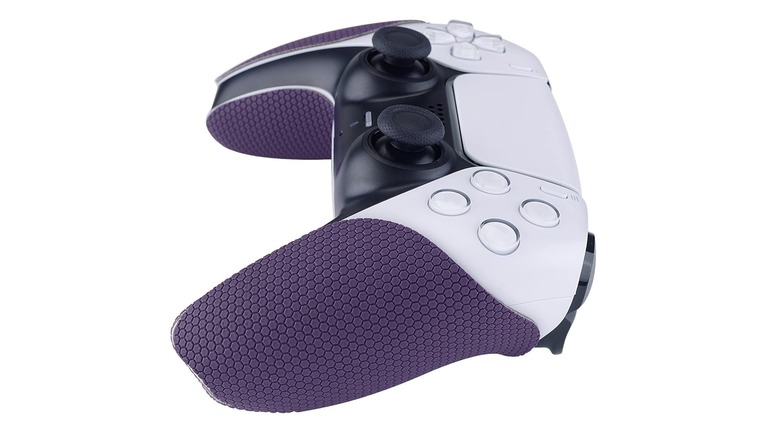
This next accessory is a great fit for anyone who plays intense games like first-person shooters, or for anyone who just plays for long periods at a time. One of the worst parts of using a controller is the sweat that builds up on your palms. Accessories like the eXtremeRate Anti-Skid Sweat Absorbent Controller Grip, available for roughly $13.99 (and occasionally less with deals), are designed to help with this. These grips can be easily applied to your DualSense controller. The company claims they are flat and crease-resistant, and reviews note that they are as easy to apply as a phone screen protector, though the adhesive doesn’t stick like glue until you really press it on, which makes it easier to situate the grip exactly how you want it.
There are multiple designs available, including some basic colorways and individual patterns to choose from. Additionally, the company says the grip design is meant to keep your hands cool by increasing airflow around them, which should reduce the amount of sweat that builds up when you’re playing. Reviews say they hold up well and that the texturing looks great. These grips have an average rating of 4.1 stars, with over 2,500 global ratings.
KontrolFreek FPS Performance Thumbsticks
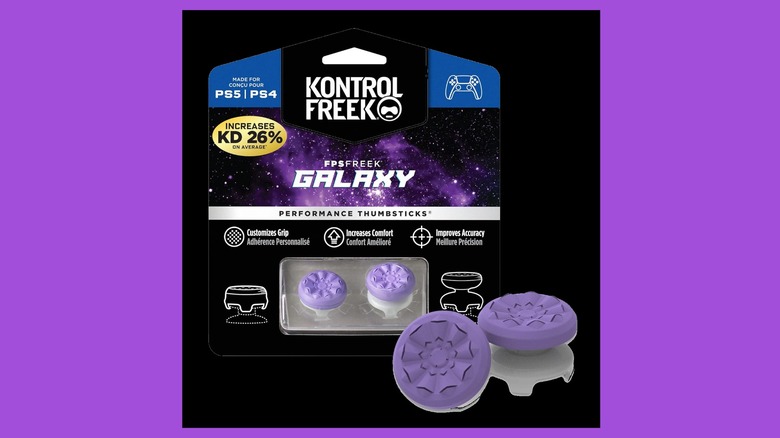
Most players find the default thumbsticks on the DualSense controller perfectly fine, but you can upgrade them with a set of third-party thumbstick covers like the KontrolFreek FPS Performance Thumbsticks if you desire. This set of thumbsticks offers two options: a single high-rise thumbstick and a single mid-rise thumbstick. This means that one thumbstick will sit slightly higher than the other, allowing for a different grip on your controller than you might be used to.
These sticks intend to increase precision and accuracy while also providing a non-slip grip for your fingers. KontrolFreek claims that using its thumbsticks will help you move and aim better, a sentiment that reviewers back up. “Risers make the movement of the sticks feel much smoother and the recessed pads have a good grip,” says one reviewer, who also notes that the thumbsticks are great for any type of game, not just first-person shooters.
Other reviews for the KontrolFreek FPS Performance Thumbsticks note that their accuracy actually did seem to improve when using the thumbsticks. You can usually grab some variant of these thumbsticks for around $16.99 on Amazon, where they have over 29,000 reviews with an average 4.6-star rating.
PlayVital Blade Shoulder Button Extension Triggers
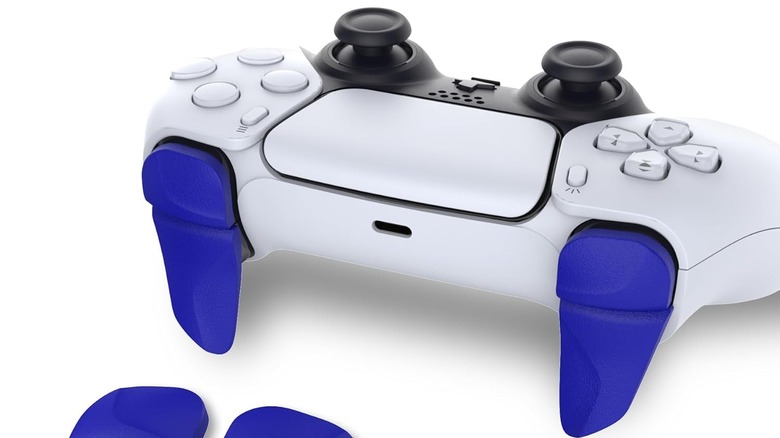
The next accessory on our list is another quality-of-life upgrade, especially for people who have larger hands. The PlayVital Shoulder Button Extension Triggers can easily be connected to your DualSense triggers, and when used, they make it easier to hit the shoulder buttons. The longer triggers are also great for letting your fingers relax a bit more. PlayVital also offers several color options, including Chameleon Purple Blue, Clear Green, and Nova Pink.
These extension triggers are installed with an easy-to-apply adhesive. They come in two different lengths to help you extend the L2 and R2 triggers on your PlayStation 5 controller. With over 1,000 reviews so far and an average 4.4-star rating, reviewers say the trigger extenders offer beautiful colors, easily fit onto the triggers, and stay where you place them. Another reviewer says that the adhesive works so well that the extensions they installed in 2023 were still going strong a year later. You can usually grab these extension triggers for around $13, though the price may vary depending on the colorway you select.
Remotto 5 Wireless PS5 Controller Charger
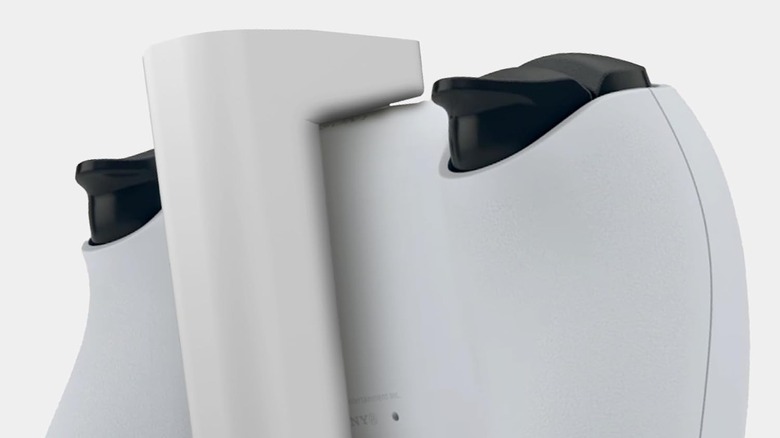
The DualSense battery can last anywhere from 6 to 12 hours, depending on how you play. That’s a wide window, and it’s not helped by the various PlayStation 5 settings that kill your battery. Playing your games with your controller plugged in at all times is an option, but it can get pretty annoying, especially if your couch is pretty far back from your TV. That’s where accessories like the Remotto5 Wireless PS5 Controller Charger come in.
Much like some of the best power banks you can buy, the Remotto5 allows you to charge your DualSense controller without having to plug it into your console. Reviews speak pretty highly of the device, too, noting that it charges much quicker than you can use it, so you can basically play indefinitely without needing to plug your controller in. It also has over 1,700 reviews, with an average rating of 4.6 stars.
What’s cool, too, is you can also use it with any USB-C device, not just your PlayStation 5 controllers. And because of how the Remotto is designed, it fits perfectly on the back of your DualSense controller, with the battery pack itself settling under the center of the controller. This should keep it from touching your fingers or hands too much, and it has a maximum storage capacity of 3,000mAh, which should equate to around 12 hours of battery, according to the manufacturer. It can usually be found for $29.95 on Amazon, making it a nice upgrade without breaking the bank.
How we chose these PlayStation 5 accessories
 Leonardo Penuela Bernal/Getty Images
Sorting through the variety of PlayStation 5 controller accessories can be time-consuming. We chose a few main criteria when we started putting together our list. All the items had to be useful while using the controller. While docking chargers can be extremely useful, we instead focused on upgrades you’d use while playing games with your DualSense controller.
We wanted everything to be affordable, because even upgrading your PlayStation 5 controller with cool features and additions shouldn’t break the bank. And finally, the last criterion was overall rating. We only wanted to highlight items that other users are actually happy with, too, so they all had to have a 4-star rating or higher on Amazon.
Search
RECENT PRESS RELEASES
Related Post